Signal-to-noise
0–12 dBBefore
After
036912 dB
SNR gain+5.4 dB
AI VOICE DENOISER · VST3 · WINDOWS
minoise uses on-device AI to split a recording into speech and background, then lets you choose how much of each to keep. Free, offline, and ready to drop into your DAW.
LISTEN
This is the plugin's actual output. The page mixes it live with the same formula the plugin uses:
Output = Voice × denoised speech + Ambience × removed background.
Press play to start
Denoised speech
GAIN Double-click for 100%Removed background
GAIN Double-click for 100%Drag up/down, scroll or use arrow keys · PageUp / PageDown ±5 · Home / End to either end
Sample A is 48 kHz stereo. Samples B and C are 16 kHz mono.
TWO KNOBS
Pick a balance. One click and you'll hear it in the listening desk.
MEASURED
Deviation from the clean original. No muffled top end.
Test material: a noisy 48 kHz voice recording.
MEASURED · PERFORMANCE
about 10% of one core
about 5% of one core
In Lite mode, stereo runs the model once, roughly halving CPU.
Switch modes during playback without pops.
Latency is reported to your DAW for automatic delay compensation.
Measured at 48 kHz stereo on a single core.
INTERFACE
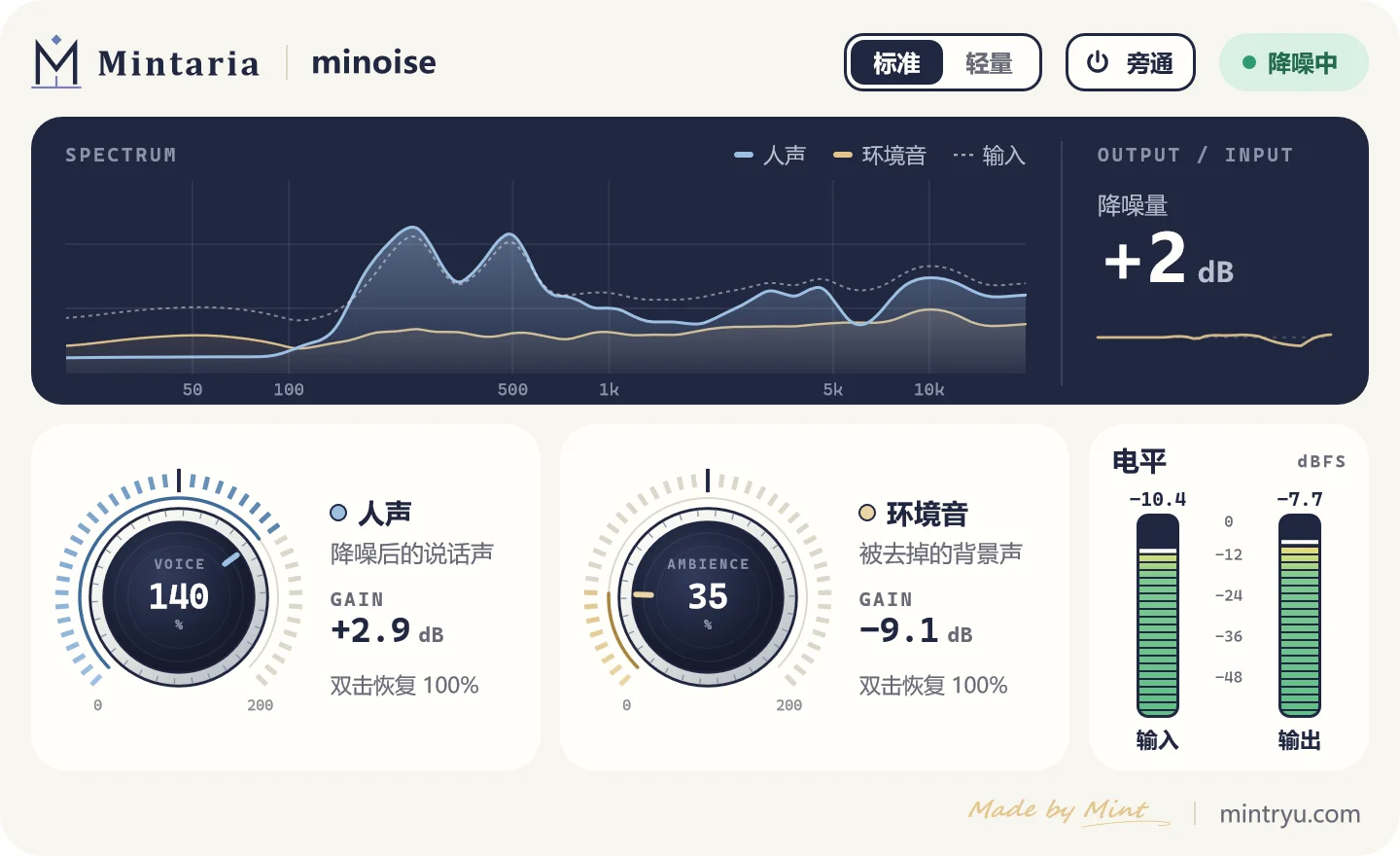
Input, voice and ambience, layered in one view.
A readout plus a trend line of the last 4 seconds.
5% per step. Double-click to return to default.
Input and output, with peak hold.
Switch any time during playback.
One click to hear the original.
INSTALL
Installer: minoise-2.0.1-win64-vst3.zip, about 12 MB.
Unzip minoise-2.0.1-win64-vst3.zip.
Move the minoise.vst3 folder into:
C:\Program Files\Common Files\VST3Rescan plugins in your DAW.
System requirementsWindows 10 / 11 · 64-bit · VST3-compatible host
FAQ
Yes.
No. The model is built into the plugin, and your audio stays on your machine.
Above 8 kHz, it stays within −2 / +1.8 dB of the clean original.
About 37.9 ms at 48 kHz. The plugin reports it to your DAW, which lines everything up automatically.
Lite runs the model once for stereo, roughly halving CPU. Reach for it in big sessions or when the machine is busy. You can switch any time during playback.
Turn Voice down to 0% and leave Ambience at 100%. The output is ambience only.